1. USE VIDEO CONTENT
Use film – A video says more than 1,000 words and conveys a sense of the workplace and colleagues in a much more authentic way than text.
Employer Branding – To strengthen your company’s employer brand, employer branding videos are a powerful tool. Attract top talent, showcase company culture, and impress both candidates and clients. Higher specializes in creating these videos, which give you a competitive edge and the opportunity to build an exceptional team. Invest in your future with employer branding videos and let Higher be your partner. As a Higher client, you get favorable prices on film production.
Studies show that we remember 80% of moving images and only 20% of static ones.
Video works with the "Law of Attraction" – you attract long-term candidates.
2. ACTIVATE "SHOW INTEREST"
Allow candidates who are interested in your company to express their interest, even when there are no open positions or suitable roles available, by using the spontaneous application feature.
By using skills & video questions, you get a solid foundation and a clear picture of the candidates. Using tags, you can easily sort and filter through the applicants.
Tip – Review the candidates in the "show interest" section before posting a new job ad. Many of our clients have found their top candidates there, saving a significant amount of time in the recruitment process.
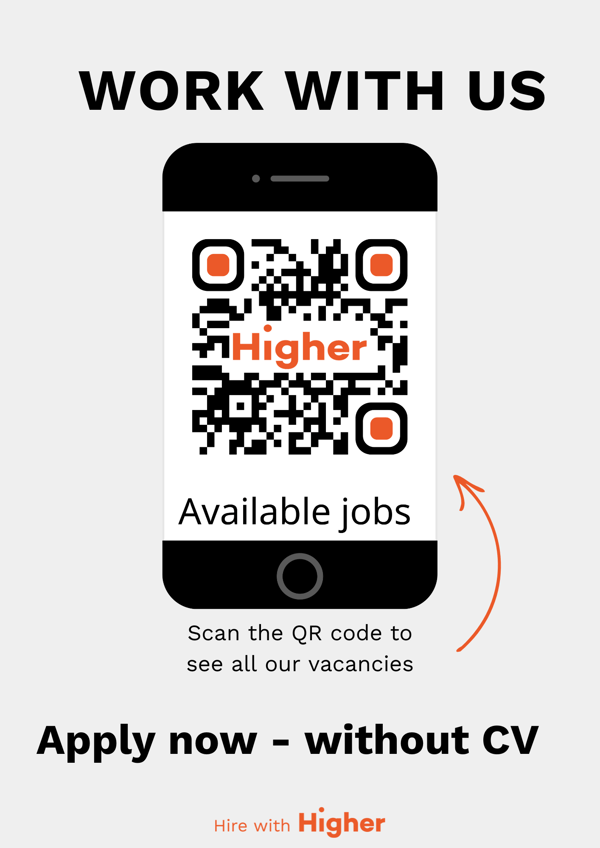
QR codes simplify the recruitment process by allowing candidates to quickly scan and apply, converting more candidates, saving time, and creating a smoother experience for both recruiters and applicants.
3. SHOW A GENUINE PICTURE OF WHAT IT'S LIKE TO WORK WITH YOU
Of course, you want to present your best side to attract as many applicants as possible (which is totally right!), but for a long-term employment relationship, it's important that candidates get an honest picture of what it’s like to work with you.
Tip – Get inspiration and check out some of our filmed job ads.
The videos create a credible and attractive image of the company, which increases the chances of finding the right candidate match.
With over 10 years of experience, we are experts at creating filmed job ads that stand out. These work particularly well on social media, grabbing attention and reaching the 70% of passive candidates who are not actively visiting job boards. Include video content in your social media ads to increase visibility and engage potential candidates.
4. LIST THE BENEFITS OF WORKING WITH YOU
Examples:
- Benefits
- Development opportunities
- Flexible working hours
- Hybrid/remote opportunities
- Travel
- Compensation for inconvenient working hours
- Company culture
- The office
- Competency-based recruitment
5. SHOW THE TEAM
According to Linkedins statistics candidates trust a company’s employees three times more than the company itself when it comes to providing credible information about what it’s like to work there.
So, showcase the team and let your own stars be ambassadors to sell how fantastic it is to work with you!
Step-by-Step Guide to Building Your Career Page
Overview
Overview:
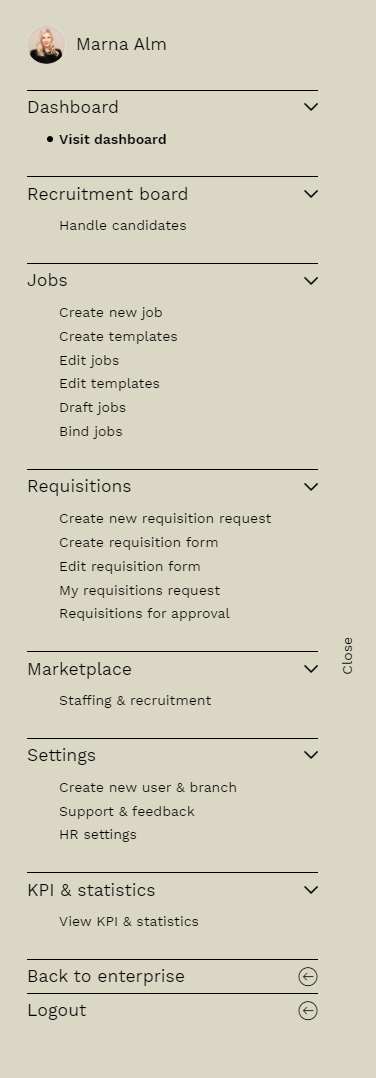
- Dashboard: Your personal overview.
- Recruitment Board: Here you’ll find all the jobs you have access to.
- Jobs: Here, you can create new job ads and templates for ads, emails, and SMS.
- Interviews: Here, you can schedule and manage video interviews with candidates.
- Marketplace: We can help you with staffing and recruitment. As a Higher client, you get a 20% discount on services from Next U.
- Settings: Support & feedback, user profile, HR settings, and creating new users/devices.
- KPIs & Statistics: Who wouldn’t want to know how much time you’ve saved through knockout questions? How many candidates apply via mobile and from which platforms they come? Here you get valuable insights to optimize your ad.
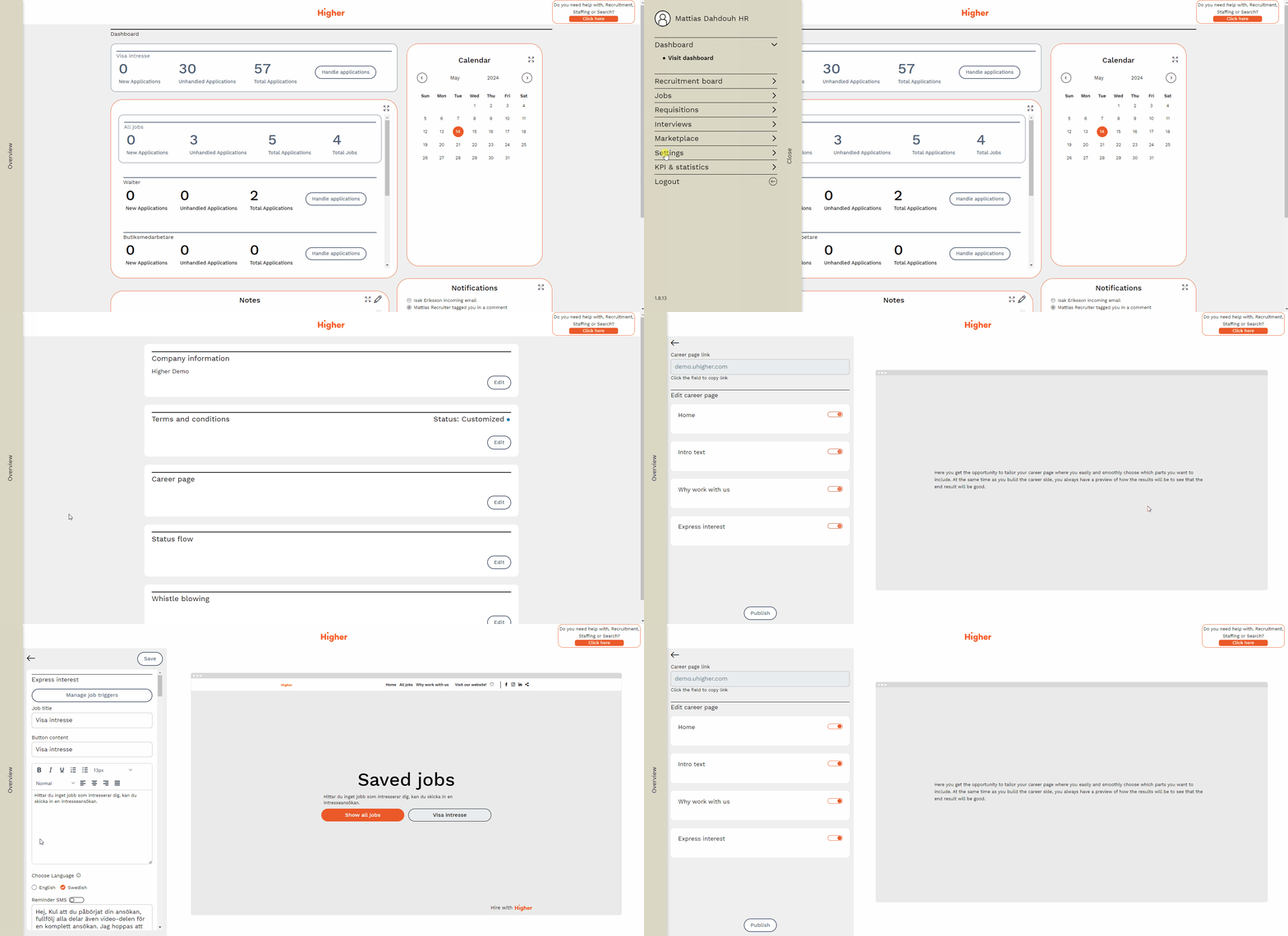
Create career page
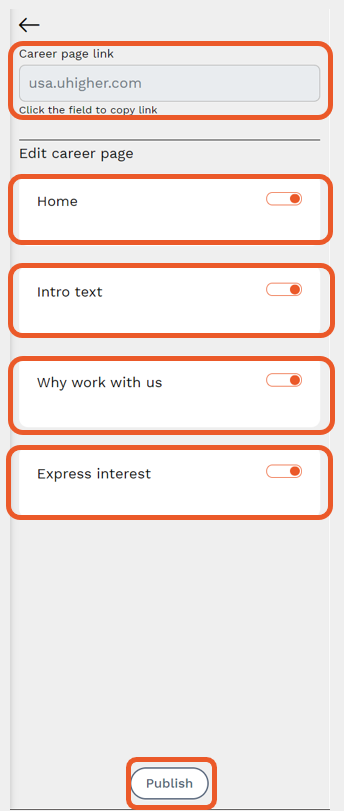
The link to the career page that you should link to from your website can be found at the top.
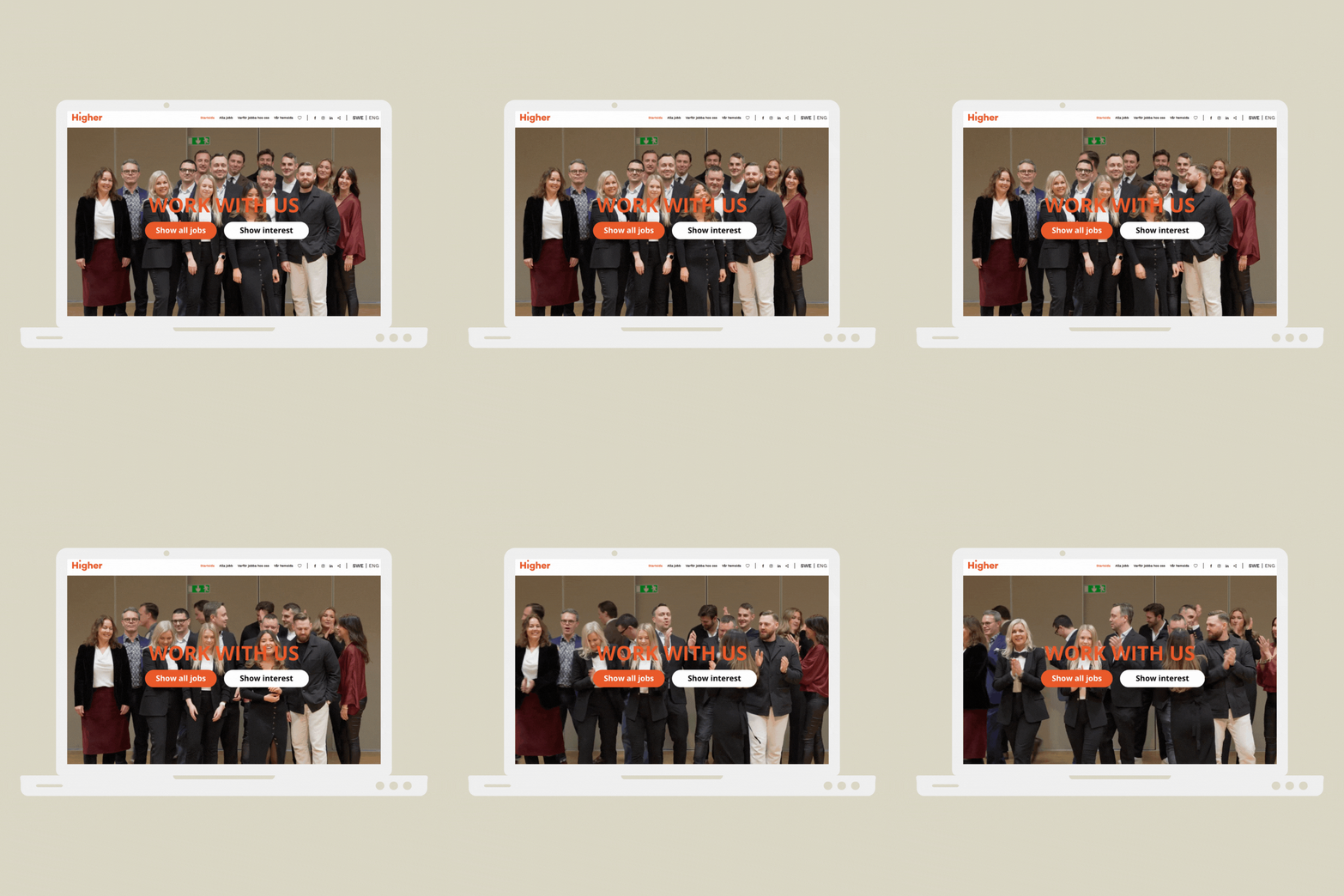
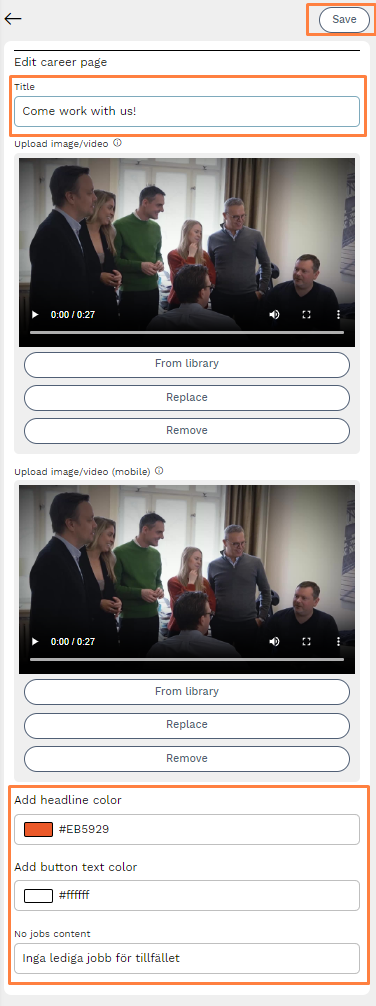
On the homepage, you can upload a video/image for the career page.
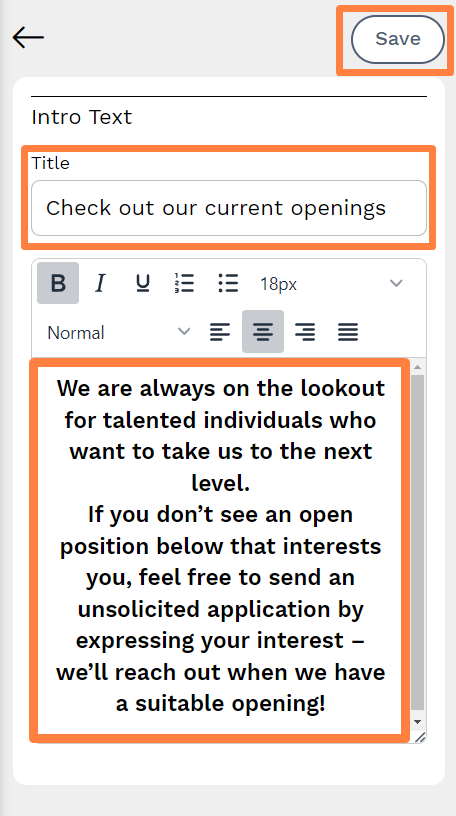
You can add a short introduction text to encourage candidates to apply for published jobs or submit an unsolicited application.
Why work with us – a fantastic opportunity to market yourself as an employer of choice and showcase the benefits of working with you.
You can activate "express interest" so that candidates can submit an unsolicited application even if there are no suitable positions available at the moment.
When you’re ready to publish the career page, select the modules in orange and press "publish."
Homepage
- Choose a heading that suits you.
- Upload video/image for the career page.
- Allowed image formats: png/jpg/jpeg
- Allowed video formats: mp4/webm/quicktime/mpeg7/ogg/3gpp
- Desired video/image size: 1920x1080px
Desired video/image size for mobile: 720x1280px - You can change the color of the header text and button.
- You can change the text.
- Remember to save your changes.
Introduction Text
- Choose a heading.
- Here you can fill in a short introduction text to encourage candidates to apply for open jobs or possibly submit a spontaneous application if no suitable jobs are available at the moment.
- Remember to save changes.
Why Work with Us
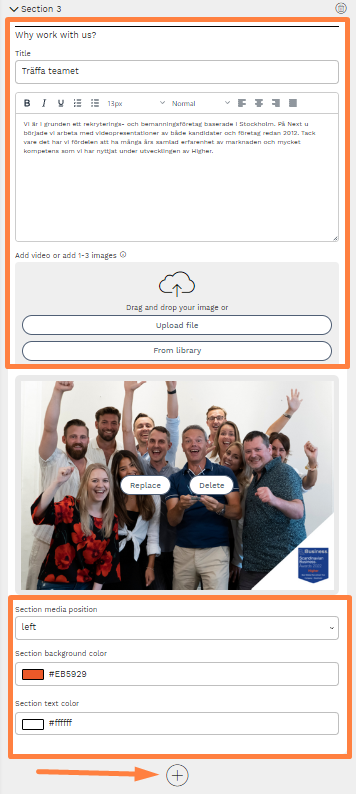
It’s possible to add up to five sections under Why Work with Us. Each section can have its own heading.
Why work with us is a fantastic opportunity to sell yourself as an employer and showcase the benefits of working with you. Here, you can talk about perks, various career opportunities, different departments, and introduce the team the candidate will work with.
- You can upload a video or up to three images in each section.
- Choose the placement of media, background color, and text color.
- Click plus to add a section. You can add up to five sections.
- Remember to save changes.
Show Interest/Spontaneous Applications
Choose the modules you want to include and whether you want to link candidates' LinkedIn profiles.
Up to 40 skills questions. A tip is to use questions from the question library, where all questions from created job templates are saved. Using tags and follow-up questions, you can get excellent data from spontaneous applications.
- Personality test
- Up to three video questions
- Press save & publish to activate "show interest."
In company information, you can set a "show interest - reminder time" – an email will be sent to candidates after a selected number of months. HR-authorized personnel can choose which users get access to candidates.
Links to Social Media & Your Website
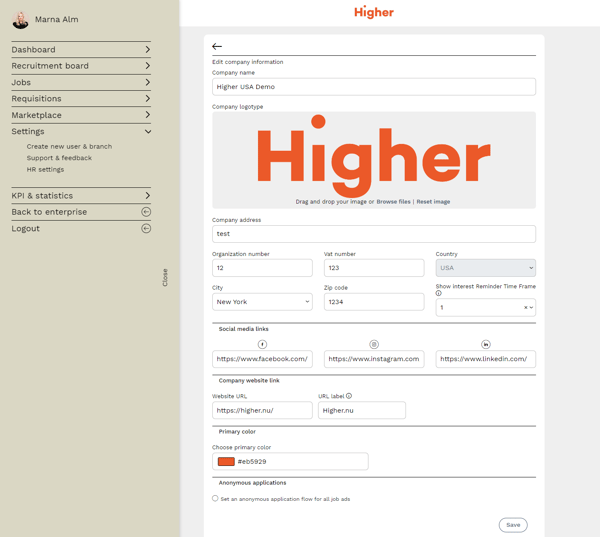
In the company information section, you can:
- Change the logo and primary color for the career page.
- Set the time interval in months for an email reminder to candidates who submit a spontaneous application, ensuring you have an updated candidate pool.
- Add links to the company’s Facebook, Instagram, LinkedIn, and website. You can choose to name the website URL label; otherwise, the company’s website will be listed on the career page.
Checklist:
- Menu - Settings - HR Settings - Career Page
- Insert career page link on the website
- Add social media links & company website under company information
- Design career page & why work with us
- Activate "show interest"
- Set reminder time for spontaneous applications under company information
Things to have ready when creating your career page:
- Videos & images you want to use on your career page
- Company information – Tell your story and include the benefits of working with you, possibly information about different departments and an introduction to the team. This is a great opportunity to sell yourself as an employer and explain why candidates should choose you!
- Links to your social media, such as Facebook, Instagram, LinkedIn, and your website.